

Table of Contents
Table of Contents
Shopify stores rely on crawlers for indexing, SEO audits and technical checks, but legitimate tools can sometimes be affected by bot protection and rate limits.
To address this, Shopify introduced Shopify Web Bot Auth, which allows merchants to authorize trusted crawlers, scripts and automated tools using secure HTTP signatures.
The feature became even more relevant after Shopify’s May 2026 changes, which introduced stricter rate limits for unsigned bots and agents accessing Shopify-hosted storefront pages and the Storefront API.
For merchants, Shopify SEO crawling is no longer simply about starting a crawler and hoping every page is accessible. For developers, Shopify Web Bot Auth provides a more structured way to authenticate automated requests.
What Is Shopify Web Bot Auth?
Shopify Web Bot Auth is an authentication mechanism that allows merchants to securely authorize crawlers, scripts and automated tools to access their public Shopify store.
Instead of relying only on a bot’s user-agent, Shopify Web Bot Auth uses HTTP message signatures generated in Shopify admin and added to crawler requests.
This is useful because different bots have different purposes. Search engines crawl for indexing, SEO tools analyze technical issues, accessibility tools test storefronts, while unwanted bots may scrape data or create excessive traffic.
Shopify Web Bot Auth gives merchants a way to authorize the tools they trust.
Does Web Bot Auth Control Google Crawling?
No.
Your Shopify store can still be indexed by search engines without Web Bot Auth. The feature is mainly intended for authorized crawlers and tools used for SEO audits, accessibility testing, automated testing and data analysis.
It is not a replacement for robots.txt, XML sitemaps or your wider Shopify SEO strategy.
Why Shopify Introduced Web Bot Auth
Modern ecommerce stores receive large amounts of automated traffic. SEO platforms crawl websites, developers run tests and monitoring tools check performance, while unwanted bots generate additional requests.
The problem is that legitimate crawlers can sometimes look like unwanted bots.
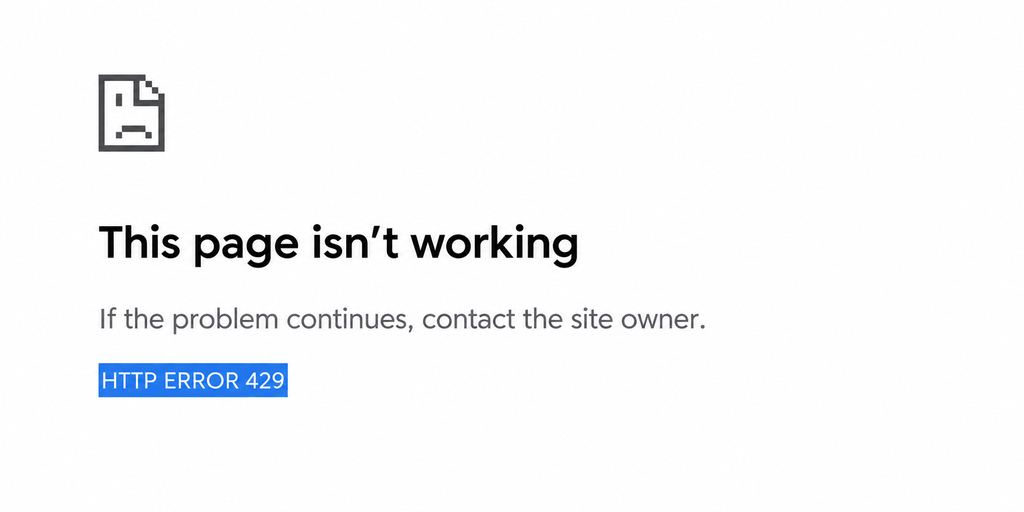
This can create issues during a Shopify SEO audit. Requests may become rate limited, important URLs can be missed and the final report may be based on incomplete data.
Shopify Web Bot Auth helps solve this by allowing approved crawlers to identify themselves through signed requests.
How Shopify Web Bot Auth Works
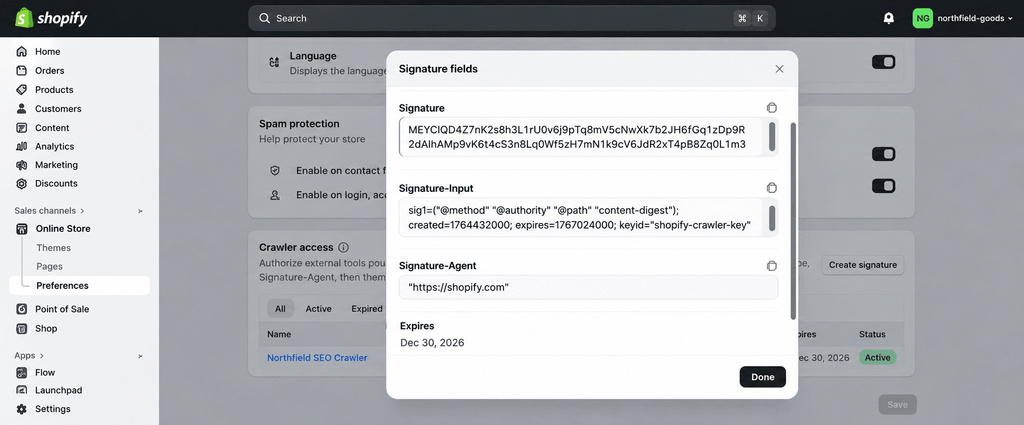
Shopify generates authentication values in your admin, which you then add to your crawler or automation tool.
The three required headers are:
- Signature-Input
- Signature
- Signature-Agent
The basic process is:
Shopify admin → Create signature → Add it to your crawler → Send signed requests → Shopify verifies the request
For developers working on Shopify technical SEO, this provides a more reliable way to handle automated crawling.
How to Enable Web Bot Auth for Shopify SEO Crawling
Step 1: Open Shopify Admin
Go to:
Online Store → Preferences
Then find the Crawler access section.
Step 2: Create a Signature
Select Create signature and add the required information.
Use a descriptive name such as:
Technical SEO Audit - Screaming FrogSelect the connected domain and choose the validity period. Shopify currently allows a maximum of three months.
Step 3: Copy the Values
Shopify provides:
Signature-Input
Signature
Signature-Agent
Copy these values exactly and keep them secure. Do not expose them in public repositories or client-side code.
Step 4: Add the Headers
Your crawler needs to send the required headers:
Signature-Input: [Shopify generated value]
Signature: [Shopify generated value]
Signature-Agent: "https://shopify.com"
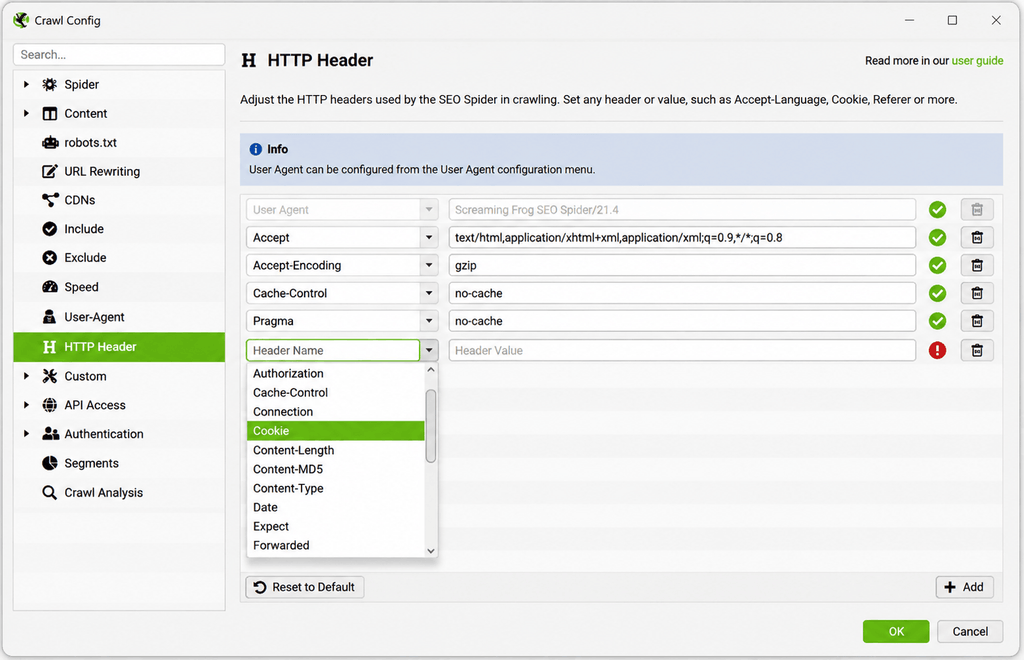
The exact setup depends on your SEO crawler.
Step 5: Test the Crawl
Run a small test before starting a full crawl.
Check whether product and collection pages are accessible, internal links are discovered, metadata is collected and rate-limited requests have improved.
A successful setup can make your Shopify SEO audit more reliable.
What Happens When a Signature Expires?
Shopify Web Bot Auth signatures expire automatically and cannot be renewed after expiration. You need to create a new signature and update your crawler.
This is particularly important for agencies managing multiple Shopify stores and recurring Shopify SEO audits.
Keep track of the crawler, domain and expiry date for each signature.
Which SEO Crawlers Support Shopify Web Bot Auth?
Shopify provides guidance for platforms including Screaming Frog, JetOctopus, Sitebulb and OnCrawl.
The main requirement is that your crawler supports custom HTTP headers.
Screaming Frog
Screaming Frog supports custom headers, making it useful for Shopify technical SEO audits covering:
– Broken links
– Redirects
– Canonical tags
– Meta titles and descriptions
– H1 headings
– Indexability
– Internal linking
– HTTP status codes
– Structured data
– JavaScript content
JetOctopus, Sitebulb and OnCrawl can also be configured for authenticated Shopify crawling.
Why Web Bot Auth Matters for Shopify SEO
The main benefit is better crawl data.
Imagine a Shopify store with 8,000 URLs. Your crawler finds several technical SEO issues, but 2,000 URLs were never successfully crawled because requests were rate limited.
Your report now represents only part of the store.
That is why reliable Shopify SEO crawling matters. Authenticated crawling can provide a more dependable foundation for Shopify SEO analysis, especially on larger stores.
Web Bot Auth Is Not a Replacement for Robots.txt
These systems serve different purposes.
robots.txt provides crawler instructions.
XML sitemap helps search engines discover URLs.
Shopify Web Bot Auth authenticates approved automated tools.
Bot protection helps protect the storefront from unwanted traffic.
A strong Shopify SEO strategy can use all of them together.
Web Bot Auth and Shopify’s 2026 Rate Limits
In May 2026, Shopify introduced stricter rate limits for unsigned bots and agents accessing Shopify-hosted storefront pages and the Storefront API.
Shopify states that signing requests with Web Bot Auth can qualify bots and agents for higher access limits.
This makes Web Bot Auth relevant to more than SEO teams. It can also matter to developers building:
– Custom Shopify crawlers
– Monitoring systems
– Testing tools
– Data-analysis systems
– Storefront agents
– Automated QA workflows
Common Shopify Web Bot Auth Problems
Missing Headers
Make sure all three required headers are included:
Signature-Input
Signature
Signature-Agent
Expired Signature
Create a new signature if the current one has expired.
Wrong Domain
Make sure the signature is associated with the correct Shopify domain.
Incorrect Values
Copy Shopify’s generated values exactly. Avoid manually typing them.
Continued 429 Responses
Check the signature, domain, expiry date and whether the required headers are being sent with every request.
Best Practices for Shopify Web Bot Auth
Keep signatures secure: Treat them like credentials and never expose them publicly.
Use descriptive names: For example:
Screaming Frog - Technical SEO - Store AMonitor expiry dates: Replace signatures before scheduled audits are affected.
Use separate signatures: Keep SEO, accessibility, QA and development access organized.
Crawl responsibly: Authentication does not mean you should send unlimited requests.
What Shopify Store Owners Should Do Now
Smaller stores may not need to configure Web Bot Auth immediately. Search engines can still index the store without it.
However, it becomes more relevant if you regularly:
– Run Shopify SEO audits
– Use Screaming Frog or similar crawlers
– Perform accessibility testing
– Run automated storefront tests
– Build custom crawling tools
– Analyze Shopify storefront data
– Develop bots or agents that access Shopify
In these cases, Shopify Web Bot Auth can make automated access more predictable and Shopify SEO crawling more reliable.
A Bigger Lesson for Shopify Development
Shopify Web Bot Auth reflects a wider change in how ecommerce platforms handle automated traffic.
The question is no longer just:
“Can a bot access this website?”
It is increasingly:
“Does this bot identify itself, and is it authorized to access the website?”
For developers, this makes authentication an important consideration alongside performance, security and API architecture.
For SEO professionals, the way a Shopify site is crawled can affect the quality of an SEO audit.
For store owners, it highlights the importance of a strong technical foundation.
Final Thoughts
Shopify Web Bot Auth gives merchants a controlled way to authorize legitimate crawlers and automated tools.
For Shopify SEO professionals, it can provide more dependable audit data. For developers, it offers a structured way to authenticate automated requests. For store owners, it provides greater control over automated access.
It should be treated as part of a wider Shopify SEO and technical strategy, not as a replacement for robots.txt, sitemaps, internal linking, metadata, canonical tags or performance optimization.
Web Bot Auth simply helps make sure the tools you use to check those areas can access your Shopify store reliably.
Need Help With Shopify SEO or Store Optimization?
A successful Shopify store needs more than a good-looking theme. It needs the right combination of Shopify SEO, performance, development, automation and conversion optimization.
At Versgen Technologies, we help businesses build and optimize Shopify stores with a focus on technical performance, search visibility and sustainable growth. From Shopify development and technical SEO to automation and digital marketing, our team can help improve your store’s technical foundation and overall performance.
Ready to improve your Shopify store? Let Versgen help you build, optimize, and grow your online business with the right strategy and solutions.