

Table of Contents
Table of Contents
As a business grows, lead and customer management activities become progressively more complex to monitor and control. Salespeople need to keep track of prospects, maintain existing customers, assign leads, organise meetings, and much more.
The issue with such tasks is that they are typically repetitive and consume substantial time and effort to execute.
That is why CRM automation is an excellent idea to engage in, as it enables one to establish a list of instructions and criteria for the CRM to follow.
Instead of employees spending their time performing monotonous activities, CRM software can undertake many of these procedures automatically.
A correctly set up CRM automation will increase response rates, reduce administrative burden and elevate the overall experience for prospects and customers alike.
However, when beginning one’s journey towards CRM automation, it is crucial to prioritise the tasks that would provide the most significant benefit to the company.
Below are 15 CRM automation workflows that every business should consider implementing.
15 CRM Automation Workflows Every Business Should Have
1. Lead Capture Workflow
When a lead comes into a business, it must be captured as soon as possible.
Leads can come from various sources such as:
– Websites
– Landing pages
– Ads
– Social media
– Chats
All of these require a certain amount of effort to capture, which is why lead capture automation is an incredibly useful tool to engage in.
A lead capture automation workflow should be set up in a manner that enables the CRM to capture the contact and record the necessary information automatically.
This reduces manual data entry and helps ensure that potential customers are not overlooked.
2. Lead Assignment Workflow
Once a lead has been captured, it must be assigned to the appropriate representative.
A CRM automation workflow can assign leads based on particular criteria, such as:
– Location
– Industry
– Product or service of interest
– Lead source
– Representative availability
For example, an enterprise lead could be assigned to a particular group of sales representatives while small business owners go to another.
This CRM automation reduces the burden on sales representatives and helps ensure that leads reach the right person without unnecessary delays.
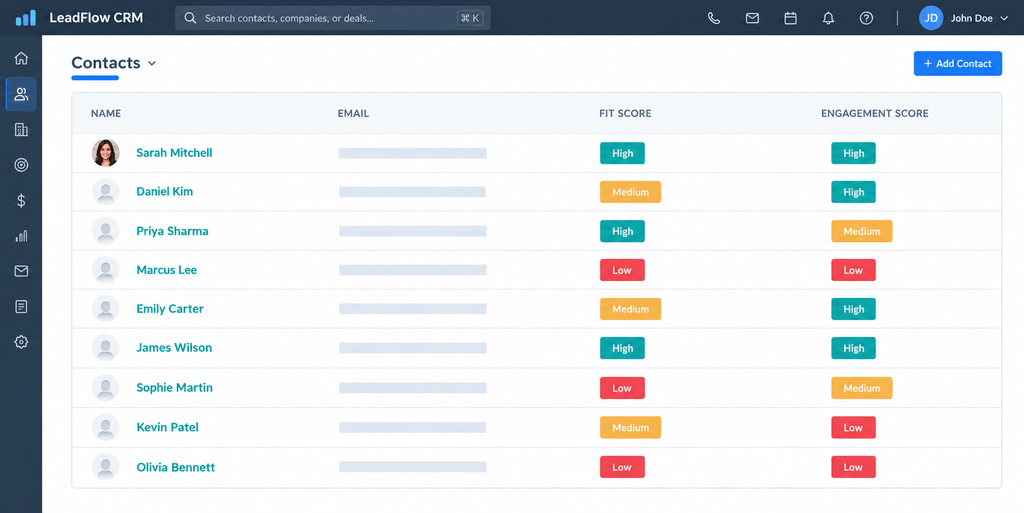
3. Lead Scoring Workflow
Not every lead has the same level of interest or buying intent.
CRM automation can be used to score leads based on information and activity, allowing sales teams to prioritise the prospects that are most likely to move forward.
Lead scoring can consider factors such as:
– Website activity
– Email engagement
– Product interest
– Customer information
– Previous interactions
A CRM automation workflow can then move leads from one stage to another based on specific requirements.
4. Follow-Up Workflow
Capturing a lead is essential, but following up with that lead is equally important.
Most prospects will require additional assistance before moving to the next stage. Some will be ready to buy immediately, while others will need further communication.
A CRM automation workflow can automatically:
– Send a confirmation message
– Create a task for a sales representative
– Send follow-up messages
– Remind prospects about their enquiry
– Notify representatives about required actions
For instance, if a prospect has enquired about a particular product or service, the automation could respond to their message, generate a task for the sales representative, and send another message after a certain amount of time has passed.
This way, prospects will not have to wait for representatives to follow up with them.
5. Lead Nurturing Workflow
Some prospects are interested but are not ready to purchase immediately.
This is where lead nurturing becomes important.
CRM automation can create a series of communications that keep prospects engaged over time. These communications can include:
– Educational resources
– Product information
– Industry insights
– Helpful content
– Promotional offers
The workflow can also respond to customer behavior. A prospect who interacts regularly with your content can receive further communication, while an inactive prospect can enter a different sequence.
This allows businesses to maintain engagement without requiring sales representatives to manually manage every interaction.
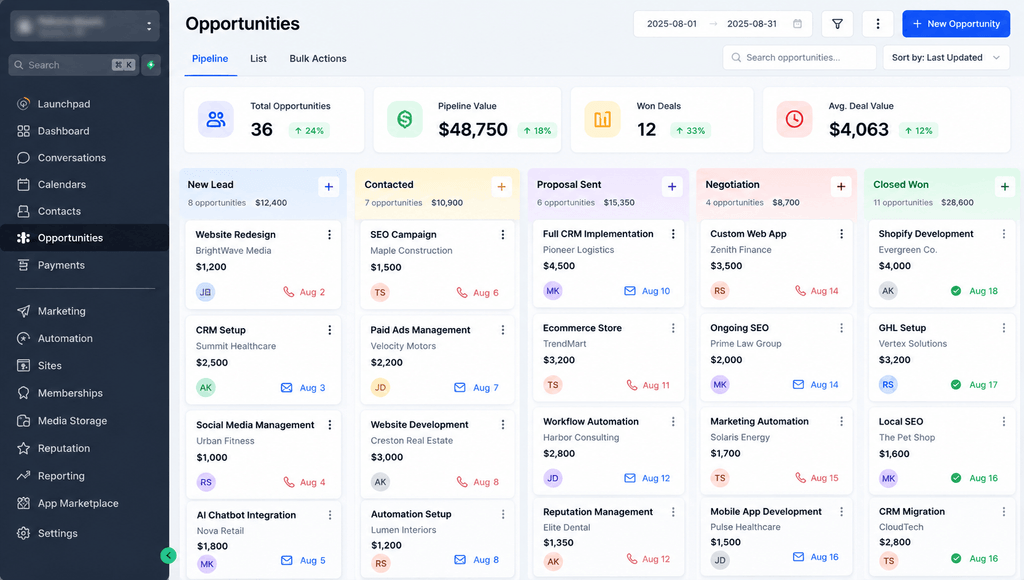
6. Sales Pipeline Workflow
CRM software is used to keep track of the sales pipeline, which is a visual display of the company’s deals.
The sales pipeline needs to be updated regularly and in real time so that it accurately reflects the status of each deal.
A CRM automation workflow could be set up to:
– Move deals through the pipeline
– Generate tasks for salespeople
– Update deal information
– Notify representatives about changes
For example, when a discovery call has been scheduled, a task for it could be generated in the CRM. Then, when the proposal has been sent to the prospect, the deal could move to the next stage.
This minimises the amount of effort spent on maintaining the CRM while providing managers with greater insight into the company’s sales pipeline.
7. Appointment Scheduling Workflow
Scheduling meetings manually can create unnecessary delays.
CRM automation can connect appointment scheduling with the rest of the sales process.
A workflow can automatically:
– Send meeting invitations
– Synchronise calendars
– Confirm appointments
– Send reminders
– Create CRM activities
This helps save time for both the customer and the business while keeping appointments organised.
8. Task and Activity Reminder Workflow
Important tasks can easily be forgotten during busy periods.
CRM automation can automatically generate reminders for:
– Follow-up calls
– Meetings
– Proposal submissions
– Contract renewals
– Customer check-ins
This ensures that sales representatives and account managers know what needs to happen next without having to remember every task themselves.
It also helps prevent delays caused by missed activities.
9. Customer Onboarding Workflow
Once a prospect becomes a customer, they must be onboarded to ensure that they begin using the product or service smoothly.
A CRM automation workflow can be set up to:
– Notify the customer success team
– Send resources to customers
– Provide onboarding information
– Update the backend if necessary
– Schedule a phone call
– Create internal tasks
For example, once a deal has been closed, the CRM can automatically send a welcome message and provide the customer with the information they need to get started.
This creates a more consistent onboarding experience.
10. Customer Support Workflow
CRM automation can also be used to improve customer support.
The system can automatically:
– Generate support tickets
– Assign them to particular departments
– Notify customer support representatives
– Send confirmation messages
– Escalate unresolved tickets
After a ticket has been opened, there should be a specific period of time within which a customer support representative has to resolve it.
If this period expires, CRM automation can notify management so that the ticket is escalated to the correct department.
This allows businesses to respond to support requests more efficiently.
11. Proposal and Quote Workflow
Creating proposals and quotes manually can consume valuable time.
CRM automation can assist by generating tasks and triggering actions when an opportunity reaches a particular stage in the sales process.
For example, when a deal reaches the proposal stage, the CRM could create a task for the sales representative and prepare the necessary customer information.
This reduces repetitive administrative work and allows sales representatives to concentrate on progressing opportunities and closing more deals.
12. Customer Feedback Workflow
Customer feedback is important for understanding whether customers are satisfied with a product or service.
However, feedback requests are often forgotten when they are handled manually.
CRM automation can trigger feedback requests after events such as:
– Purchases
– Service interactions
– Product usage milestones
– Support ticket closures
The CRM can then record the response and make the information available to the relevant teams.
This helps businesses collect feedback more consistently and identify areas where the customer experience can be improved.
13. Customer Retention Workflow
While gaining new clients is critical, retaining existing customers is equally important.
CRM automation can be used to detect signs of inactivity, reduced engagement or changes in purchasing behaviour.
A customer retention workflow could be used to:
– Send check-in messages
– Remind customers about relevant products or services
– Request feedback
– Re-engage inactive customers
– Notify account managers
This allows businesses to take action before a customer relationship becomes inactive.
The source material also highlights inactivity, engagement, purchases and renewal dates as useful triggers for customer retention automation.
14. Reporting and Analytics Workflow
Manual reporting can consume significant time and effort.
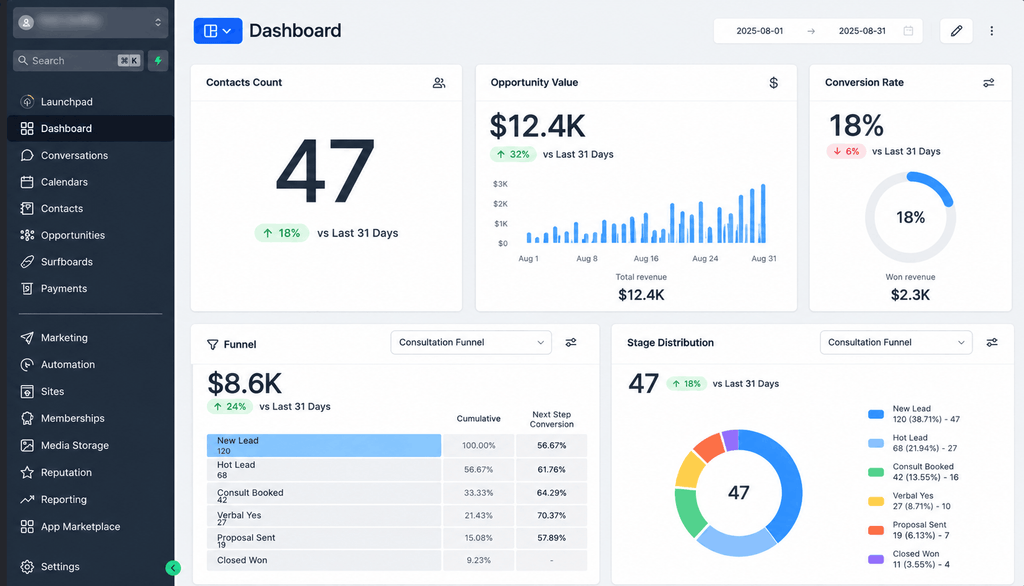
CRM automation can generate and organize reports automatically so that businesses can monitor performance more efficiently.
These reports can include:
– Sales reports
– Marketing performance
– Customer activity
– Pipeline information
– Revenue forecasts
Automated reporting gives managers better visibility and allows them to make decisions based on current information rather than waiting for manually prepared reports.
15. Renewal and Subscription Workflow
For businesses that rely on subscriptions or contracts, renewal management is essential.
A CRM automation workflow can remind customers about upcoming renewals and notify internal teams when action is required.
The workflow can send:
– Renewal reminders
– Payment notifications
– Contract expiry alerts
– Upgrade opportunities
– Follow-up tasks
For example, a SaaS company could remind a client about the expiration of their contract. If no response is received, CRM automation could send another message and create a task for the account manager.
This helps businesses reduce the risk of losing existing customers because of missed renewal opportunities.
Need Help Setting Up CRM Automation?
Setting up effective CRM automation can require careful planning, workflow design and integration across your existing business processes.
Versgen Technologies can help you design and implement CRM automation tailored to your business. From lead capture, lead qualification and follow-up automation to sales pipeline management, customer onboarding, retention and renewal workflows, we can help you create a connected lead-to-customer process.
Let your sales and support teams spend less time managing repetitive CRM tasks and more time focusing on customers and business growth.
Let’s discuss getting CRM automation set up for your business with Versgen Technologies.